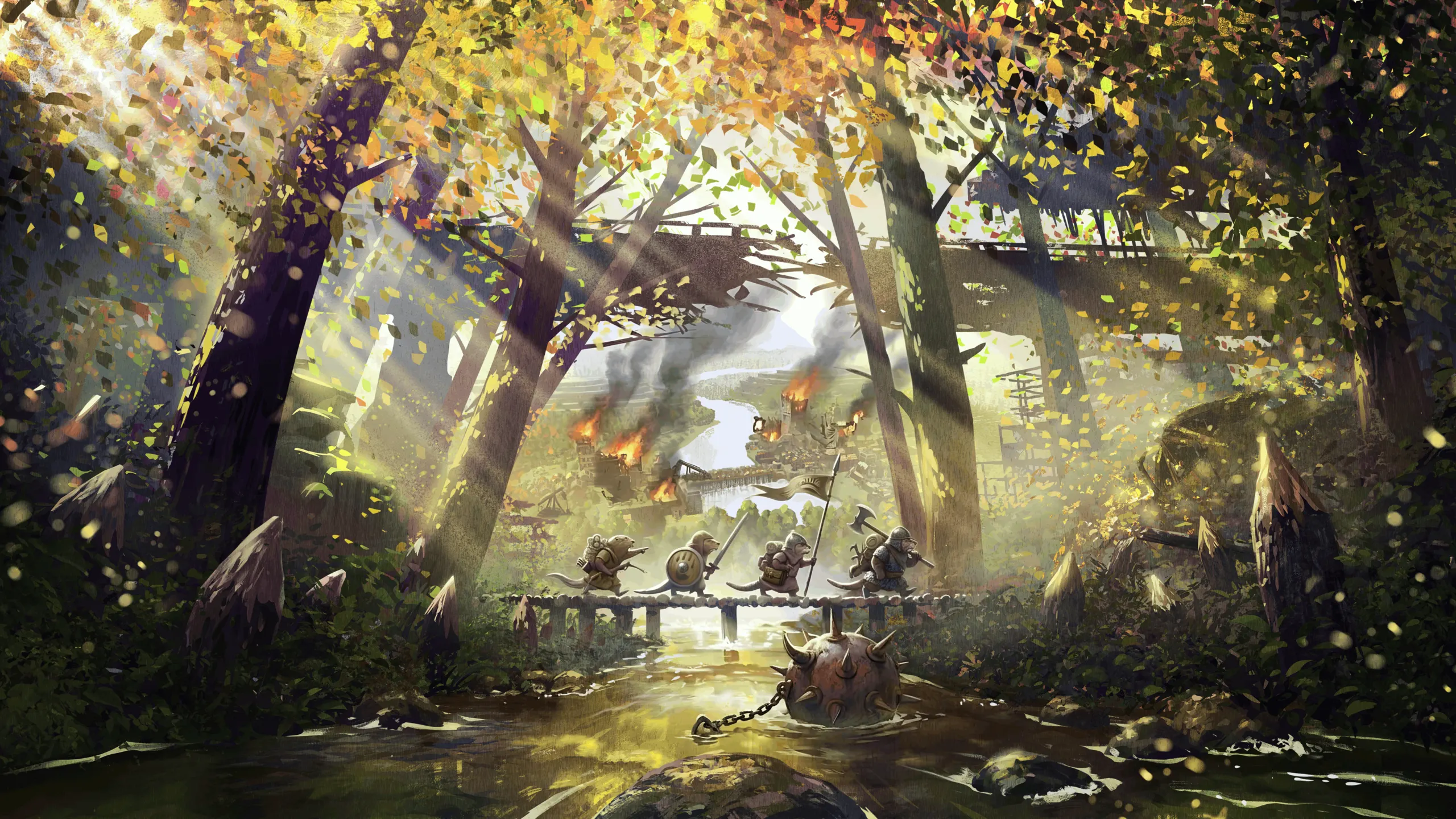

Timber Empires works with factions from other mods, not just Folktails and Iron Teeth. A faction mod tells it which of the two its faction is built on, and the faction gets that base’s barracks, walls, siege machines and the rest, its troop outfits and its models. Anything the faction mod ships of its own replaces the borrowed version.
Most of it needs no code. A faction mod adds one blueprint file, and that’s enough to play it in Timber Empires. Mods with code get a small API on top, found by reflection, so they don’t have to reference Timber Empires to build.
Timber Empires runs on BeaverBuddies Co-Op/PvP Edition. Anything a mod changes in a multiplayer game has to follow BeaverBuddies’ rules or the game falls out of sync: read its Modding.md too.
The files this page mentions (Troops/TroopStats.blueprint.json, FactionProfiles/, WorkerOutfits/) are in Timber Empires’ mod folder once it’s installed.
Adding a faction
Ship a blueprint like this in your mod, in a file of its own (TimberEmpires/TimberEmpiresFaction.Emberpelts.blueprint.json, say):
{
  "TimberEmpiresFactionSpec": {
    "FactionId": "Emberpelts",
    "Base": "Folktails",
    "Barracks": [ "Spearman", "Warrior", "Berserker" ],
    "Range": [ "Archer", "Slinger" ],
    "Goods": [
      { "Good": "TreatedPlank", "With": "Brick" },
      { "Good": "Paper", "With": "Brick" },
      { "Good": "Dandelion", "With": "Pepper" }
    ]
  }
}
| Field | What it does |
|---|---|
FactionId | Your faction’s Id, as in its FactionSpec |
Base | Folktails or IronTeeth: whose Timber Empires buildings, models and outfits your faction uses |
Barracks | The troop kinds its barracks train, in the order the barracks lists them. A new barracks trains spearmen when the list has them, else the first. Left out, the base’s |
Range | The kinds its archery range trains. Left out, the base’s |
Goods | Goods your faction uses where Timber Empires’ buildings use one it doesn’t have (see below) |
Default | Only for profiles a mod ships for someone else’s faction: any profile without it takes its place |
The troop kinds are Warrior, Spearman, Archer, Herbalist, Sapper, Arquebusier, Slinger and Berserker, for the barracks and the archery range. Any of them works for any faction: the buildings train whatever the profile lists. An unknown name logs a warning and trains spearmen.
Monk is a kind too, but monks are trained at the Monastery, which every faction gets. Don’t list them in Barracks or Range.
How each kind fights and what it costs is in Troops/TroopStats.blueprint.json, and your faction can change any of it (see below). Spearmen and archers cost no science there and the rest need unlocking, so list a free kind first or a new barracks can’t train anyone until the player pays for it.
Why its own file. The game reads a blueprint only when something asks for a spec in it. Without Timber Empires installed nothing asks for TimberEmpiresFactionSpec, so the file sits there unread and your faction works as before. Put the same spec inside your faction’s own blueprint instead and the game reads it while loading factions, doesn’t know the spec, and stops.
What the base gives you. Timber Empires adds its base’s buildings to your faction’s toolbar, and the base’s material collection to your faction’s materials (those buildings are drawn with them). Its troops start from the base’s numbers too: a faction built on Folktails walks as quickly as Folktails do. Everything else your faction has stays as it is: its own District Center, homes, food and goods. Timber Empires’ weapons and siege goods are in the Common good collection, which every faction gets anyway.
Goods. A few of the base’s buildings cost or use goods only that base has: Treated Planks and Paper for Folktails, Treated Planks and Metal Parts for Iron Teeth, and some recipes use Dandelions. The game won’t load a building that costs a good it doesn’t know, so as a game starts Timber Empires swaps each one your faction lacks for the good Goods names in its place. A good with no substitute is left out of the cost or recipe. The log lists every swap ([Factions] lines), so you can see what your faction ends up paying. In a mixed-factions game every faction’s goods are loaded, so nothing is swapped.
A troop’s Upkeep good (the monk’s books) isn’t swapped: if your faction has no books, set your monks’ Upkeep in your stats (see below), the way Iron Teeth’s monks use coffee.
Without a profile. A faction with no profile plays as Folktails, with a warning in the log. Timber Empires ships a profile for Emberpelts already, marked "Default": true. Any profile a faction mod ships for its own faction takes its place.
Your own numbers
Each faction can have its own troop and building numbers. Ship them as another blueprint of its own (TimberEmpires/TimberEmpiresStats.Emberpelts.blueprint.json), with lines like the ones in Troops/TroopStats.blueprint.json but only the numbers you change:
{
  "TimberEmpiresFactionStatsSpec": {
    "FactionId": "Emberpelts",
    "Kinds": [
      { "Kind": "Spearman", "Damage": 90 },
      { "Kind": "Berserker", "Pace": 1.1, "ScienceCost": 800 }
    ],
    "Buildings": [
      { "Name": "Catapult", "Health": 160, "ReloadHours": 1.4 }
    ]
  }
}
Kind lines (by Kind) can change any field the stats file has for that kind:
| Field | What it is |
|---|---|
Damage | Damage per hour of fighting. Troops have 100 health |
Taken | Multiplies the damage it takes |
Reach, MinRange | How far it hits from, and how close is too close for a shooter |
Aggro | How far it goes after enemies on its own |
Pace | Walking speed against a beaver’s |
Shoots | Whether it’s a shooter (shots are stopped by walls, turned aside by shields) |
MachineDamage, StructureDamage | Damage per hour to machines and to buildings |
Heal | Health per hour it heals others |
StrongAgainst, StrongFactor | Kinds it hits harder (a comma-separated list) and by how much |
Worth | Rank points for bringing it down |
TrainingHours, ScienceCost, TrainingScience | Training time, the science to unlock it, and science paid per recruit (monks) |
Weapon, Upkeep, Outfit | The good it trains with, the good it uses up (monks), and its outfit’s Id |
Building lines (by Name) work the same for siege machines and walls: health, speed, crew, range, reload, damage, splash, and the hoardings’ and infirmary’s own fields. A line matches like the stats file does: Catapult.Folktails for one faction’s catapult, WallTower.Round for the round tower, Catapult for every catapult. A faction can only change buildings the stats file already has a line for.
Numbers stack in order: the stats file’s, then your base’s, then yours. How Folktails and Iron Teeth differ is in Timber Empires’ own FactionProfiles/TimberEmpiresStats.Folktails.blueprint.json and TimberEmpiresStats.IronTeeth.blueprint.json: Folktails walk faster and hit a little harder, Iron Teeth take less damage and their monks use coffee.
A line only changes your faction’s troops and buildings. Bandits always use the stats file’s numbers, and the rest of the stats file (ranks, high ground, healing, supply ranges, building health) is the same for everyone.
A siege machine’s ammunition (which good and how much it holds) comes from its own building blueprint, not the stats.
Your own look
Every faction model Timber Empires uses is looked up under your faction’s name first, then the base’s. Ship an asset at the same path with your faction’s ID in place of Folktails or IronTeeth and it’s used instead.
| What | Timber Empires’ version | Yours |
|---|---|---|
| A troop’s outfit | WorkerOutfitSpec with Id Spearman (or any kind), WorkerType Beaver, FactionId Folktails | The same blueprint with your FactionId. Copy one from Timber Empires’ WorkerOutfits/ and change its textures or attachments |
| The supply cart | Buildings/WagonYard/SupplyCart.Folktails, SupplyCartLoad.Folktails | SupplyCart.Emberpelts, SupplyCartLoad.Emberpelts |
| The owner’s banner on the District Center | Buildings/DistrictCenterGlyph/DistrictCenterGlyph.Folktails.Model with its mask DistrictCenterGlyphMask.Folktails | The same names with your faction’s ID |
The banner is the one thing that isn’t borrowed: it’s shaped to sit on the base faction’s District Center, and yours looks different. Without one of your own, your District Center goes without (the rest of the owner’s colors still show). The banner is found by the end of your District Center’s template name (DistrictCenter.Emberpelts looks for DistrictCenterGlyph.Emberpelts), so name it after your faction.
The game only loads the outfits of the faction being played. Timber Empires reads troop outfits itself, so a faction that ships none still dresses its troops: in its own outfit, else its base’s, else whichever there is. Not every kind has an outfit for both bases (Folktails have no arquebusier, Iron Teeth no berserker or slinger), so ship your own if your profile mixes them.
Sounds. Timber Empires’ buildings play its own selection sounds by name, and your blueprints can use them too: "SelectionSoundName": "TE.Barracks". The names are TE.Anvil, TE.Barracks, TE.Boil, TE.Cart, TE.Chain, TE.Coins, TE.Gate, TE.Horn, TE.Knock, TE.LogRoll, TE.Monastery, TE.Siege and TE.Water.
Mixed games
With “Mixed factions” on, every player plays the faction they pick, and their toolbar only has that faction’s buildings. A mixed game loads every faction installed, yours included, so a player can join with any of them without the host reloading. A Timber Empires building is in the toolbar of every faction built on its base: Iron Teeth and a faction built on Iron Teeth both get Barracks.IronTeeth. Where it matters which of them a building belongs to (which troops it trains, how they walk), it’s the faction of the district the building is in.
The “My faction” setting lists every faction the game has, so players can pick yours.
Multiplayer
Every player needs the same mods. BeaverBuddies compares the host’s factions with each player’s as they join, and warns when they differ, so a faction mod with no code is covered. Matchmaking downloads the mods a player is missing from the Workshop before the match starts, and only skips a match when the Workshop can’t make them match.
A profile has to be the same on every machine. From a blueprint, it is. From code, register it as your mod starts, on every machine (see below).
Game modes
Timber Empires adds PvE (timberempires.pve) and PvP (timberempires.pvp) to BeaverBuddies’ Multiplayer mode list, next to its Co-op (bb.coop). A mod of yours can add its own modes the same way, through BeaverBuddies’ AddGameMode: see its Modding.md. Timber Empires plays any mode it doesn’t know as PvP.
The API
TimberEmpires.Modding.TimberEmpiresApi is a static class whose methods only take and return .NET, Unity and Timberborn types. Find it by name at runtime and bind each method to a delegate once. If Timber Empires isn’t installed the lookup finds nothing, and every call below falls back to doing nothing.
public static class TimberEmpiresBridge
{
    private static readonly Type ApiType = AppDomain.CurrentDomain.GetAssemblies()
        .Select(a => a.GetType("TimberEmpires.Modding.TimberEmpiresApi", false))
        .FirstOrDefault(t => t != null);
    private static readonly Dictionary<string, Delegate> Bound = new();

    public static bool Available => ApiType != null;

    private static T Bind<T>(string name) where T : Delegate
    {
        if (Bound.TryGetValue(name, out Delegate bound)) return (T)bound;
        MethodInfo method = ApiType?.GetMethod(name, BindingFlags.Public | BindingFlags.Static);
        T result = method == null ? null : (T)Delegate.CreateDelegate(typeof(T), method, false);
        Bound[name] = result;
        return result;
    }

    public static int Version => Bind<Func<int>>("Version")?.Invoke() ?? 0;

    public static void RegisterFaction(string factionId, string baseFaction, string[] barracks, string[] range) =>
        Bind<Action<string, string, string[], string[]>>("RegisterFaction")?.Invoke(factionId, baseFaction, barracks, range);

    public static string OwnerOf(BaseComponent entity) => Bind<Func<BaseComponent, string>>("OwnerOf")?.Invoke(entity);
}
Bind the rest the same way, with the delegate type matching the signatures below. List Timber Empires under OptionalMods in your manifest ({ "Id": "timberempires" }) so it loads first when it’s there and the type exists when you first look it up.
| Method | What it’s for |
|---|---|
int Version() | The API’s version: 1. It only grows; a method that has to change bumps it |
void RegisterFaction(string factionId, string base, string[] barracks, string[] range) | A faction’s profile from code, over any blueprint. Null lists take the base’s. Call it as your mod starts |
void RegisterGoodSubstitute(string factionId, string good, string with) | A good your faction uses in place of one it doesn’t have, like Goods in the profile. Wins over the profile’s for that good |
string BaseFactionOf(string factionId) | Folktails or IronTeeth |
string[] BarracksKinds(string factionId), string[] RangeKinds(string factionId) | The troop kinds the faction trains, by name |
string[] TroopKinds() | Every troop kind there is, monks included |
string FactionOf(BaseComponent building) | The faction a building belongs to: its toolbar’s, or in a mixed game the faction of its district |
string OwnerOf(BaseComponent entity) | The player a building, beaver or machine belongs to, as their BeaverBuddies player ID, or null. A machine a monk converted belongs to the monk’s side |
string PlayerName(string playerID), Color PlayerColor(string playerID) | What other players see. The color is clear until the player has one |
bool IsTroop(BaseComponent beaver), string TroopKindOf(BaseComponent beaver) | Whether a beaver is a troop (or a recruit), and its kind by name |
bool Friendly(string playerA, string playerB) | Whether two players are on one side: the same player, allies, or any two in PvE and Co-op. Use it for anything that should spare friends |
string GameMode() | The game’s mode: bb.coop, timberempires.pve or timberempires.pvp |
Everything that reads the game (FactionOf, OwnerOf, the troop queries) gives the same answer on every machine, so it’s safe to call from ticks. Changing anything in the game still goes through BeaverBuddies’ events.
Checklist
- Add a
TimberEmpiresFactionSpecblueprint in a file of its own. - Pick the base whose buildings fit your faction’s look, and the troops it trains.
- Name substitutes for the base’s goods your faction doesn’t have, and an
Upkeepfor its monks if it has no books. - Change your troops’ and machines’ numbers in a
TimberEmpiresFactionStatsSpecblueprint, if they should fight differently. - Ship your own troop outfits, supply cart and banner where the base’s look out of place.
- Start a game with your faction and Timber Empires, read the
[Factions]lines in the log, then a mixed one with each base faction. - Play it in multiplayer with BeaverBuddies’ debug mode on.